Securing Microsoft Foundry with Bring Your Own VNET

·1150 words·6 mins

alt

Introduction
#

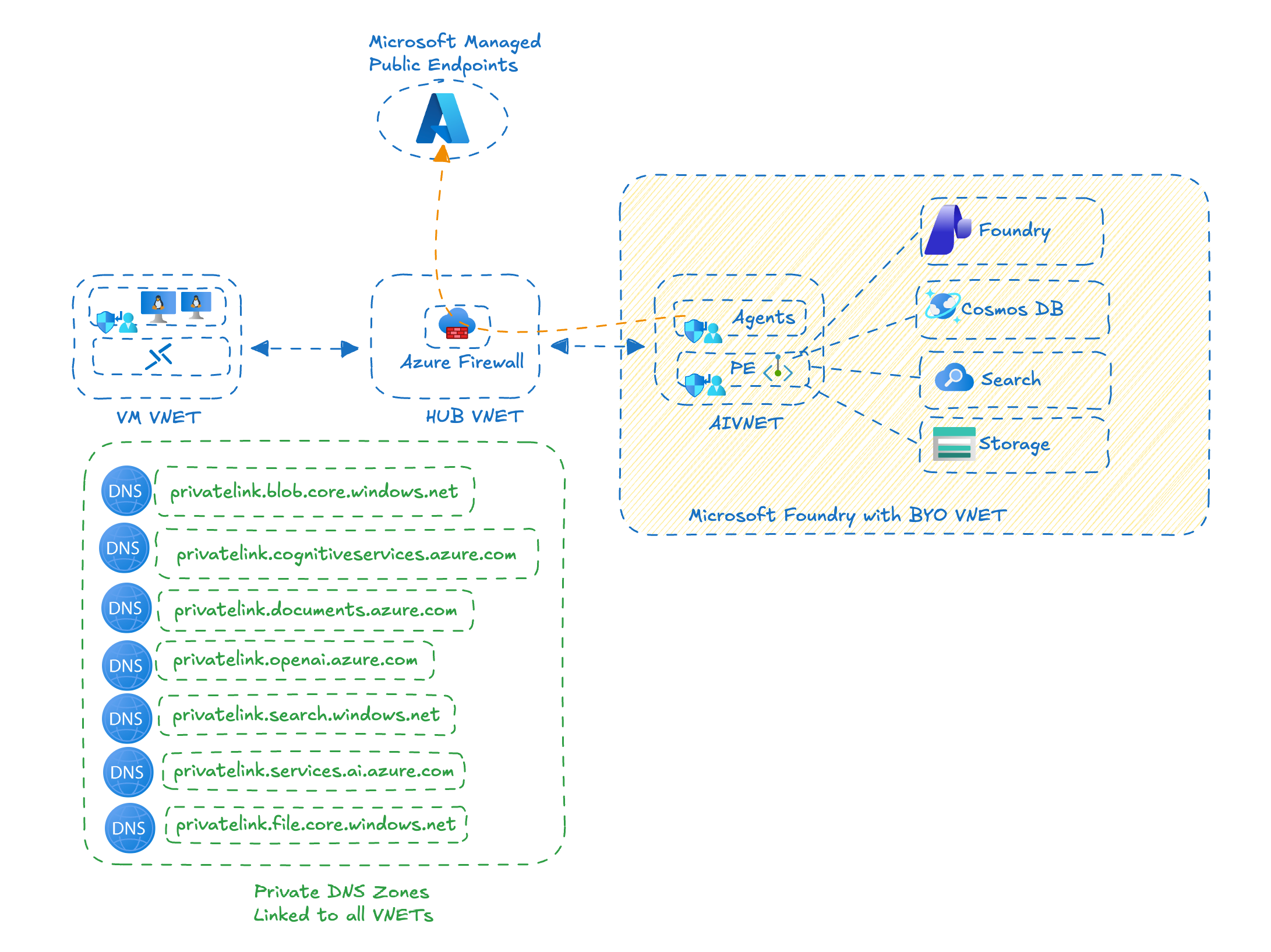
Microsoft Foundry (Previously called AI Foundry) provides powerful capabilities for building and deploying AI agents and solutions. For enterprise customers, securing these deployments within their own network infrastructure is critical for compliance, governance, and integration with existing landing zones. The Bring Your Own (BYO) VNET deployment pattern enables organizations to secure and control both inbound and outbound access to Foundry Agent services while maintaining network isolation. In this blog post, I’m sharing lessons learned from a recent Microsoft Foundry Agent Service deployment utilising the BYO VNET pattern. This approach is particularly valuable for organizations that need to:

  • Integrate Microsoft Foundry with existing hub and spoke network architecture
  • Enforce strict network security policies
  • Maintain compliance with regulatory requirements
  • Control data flow and access patterns

Understanding AI Foundry Versions
#

It’s important to note that there are multiple versions of AI Foundry in documentation. This blog focuses on Microsoft Foundry Classic Service. For a detailed explanation of the differences between Hub based and Projectbased Foundry experiences, refer to this blog.

Network Security Architecture Overview
#

When deploying Microsoft Foundry using the BYO VNET approach, there are three critical security layers to configure:

  1. Individual Resource Configuration - Network access settings for each Azure resource
  2. Network Security Groups (NSGs) - Subnet level traffic filtering for the delegated Microsoft Foundry subnet
  3. Azure Firewall Configuration - Centralised outbound access control

Prerequisites
#

Before deploying Microsoft Foundry with BYO VNET, ensure you have:

  • An existing VNET with available address space for dedicated subnets
  • Azure Firewall or equivalent network virtual appliance
  • Appropriate Azure RBAC permissions to create resources and configure networking
  • Understanding of your organization’s network architecture and security requirements

Deployment
#

Foundry team has published templates for both Bicep and Terraform that can be used for creating Foundry deployment using customer owned VNET. This deployment template requires below resources for a successful deployment

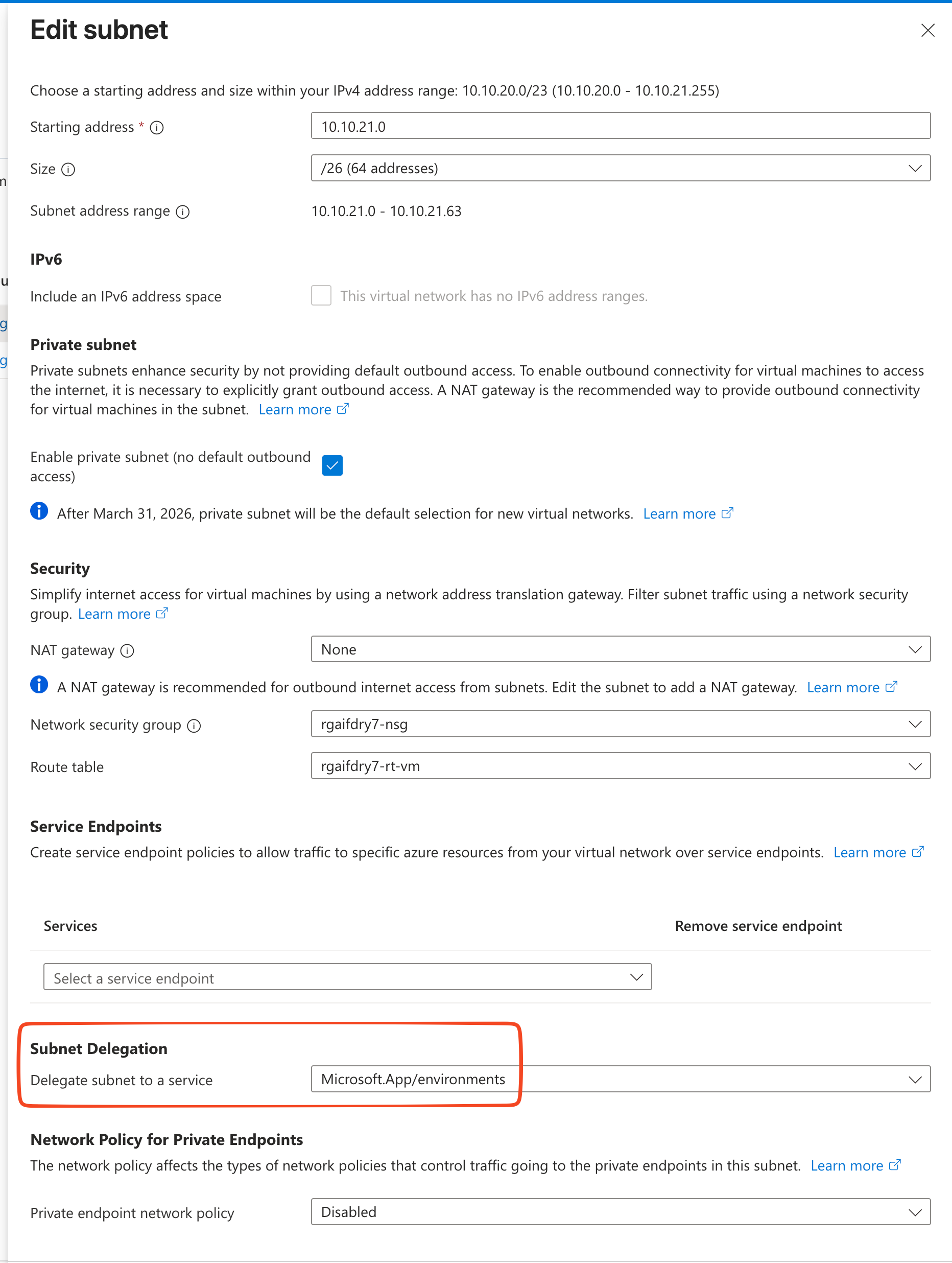
1. Agent Subnet with Delegation

  • Recommended minimum size: /26 or larger depending on scale requirements
  • Agent subnet delegated to Foundry with Subnet delegation using “Microsoft.App/environments” as below
    20251204054834

2. Private Endpoints Subnet

  • Dedicated subnet for hosting private endpoints to Microsoft Foundry resources
  • No delegation required
  • Recommended size: /27 or larger

Required Private DNS Zones
#

Microsoft Foundry Agent Service must be able to resolve private endpoints. This can be achieved by either:

  • Directly linking Private DNS zones to your VNETs, or
  • Using custom DNS configuration on the VNET pointing to Azure Private DNS Resolver or other DNS resolver service

Required DNS zones:

  • privatelink.blob.core.windows.net
  • privatelink.cognitiveservices.azure.com
  • privatelink.documents.azure.com
  • privatelink.openai.azure.com
  • privatelink.search.windows.net
  • privatelink.services.ai.azure.com
  • privatelink.file.core.windows.net

Network Security Group Configuration
#

NSG configuration is critical for controlling outbound access from the Microsoft Foundry delegated agent subnet. The following outbound rules represent the minimum required configuration:

NSG Rules
#

1. Entra ID Access (Azure Active Directory)

  • Service Tag: AzureActiveDirectory
  • Required for identity access
  • Port: 443 (HTTPS)

2. Container Apps Management

  • Service Tag: AzureContainerAppsManagement
  • Required for Container Apps platform management
  • Port: 443

3. Container Registry

  • Service Tag: AzureContainerRegistry
  • Required for pulling container images
  • Port: 443

4. Container Apps Internal Communication

  • Destination: - 100.100.0.0/17, 100.100.128.0/19,100.100.160.0/19,100.100.192.0/19
  • Container Apps uses this range for internal platform communication
  • Ports: Any
    20251206134928

Azure Firewall Configuration
#

Azure Firewall provides centralised control over outbound traffic from the Microsoft Foundry environment. Azure firewall processes rules in the following order:

  1. Network Rules - Processed first
  2. Application Rules - Processed if no network rule match

Network Rules Configuration
#

Configure network rules to allow traffic to Azure service tags:

  • AzureActiveDirectory - Port 443
  • InternalACATraffic
Key Configuration Note: Create an IP Group containing Container Apps internal IP ranges (100.64.0.0/10, 100.100.0.0/17, 100.100.128.0/19, 100.100.160.0/19, 100.100.192.0/19) to use as source addresses in firewall rules.

20251206143806

20251206143750

Application Rules Configuration
#

Application rules provide FQDN-based filtering for outbound HTTPS traffic to specific domains required by Microsoft Foundry services.

20251206163443

Resource Configuration
#

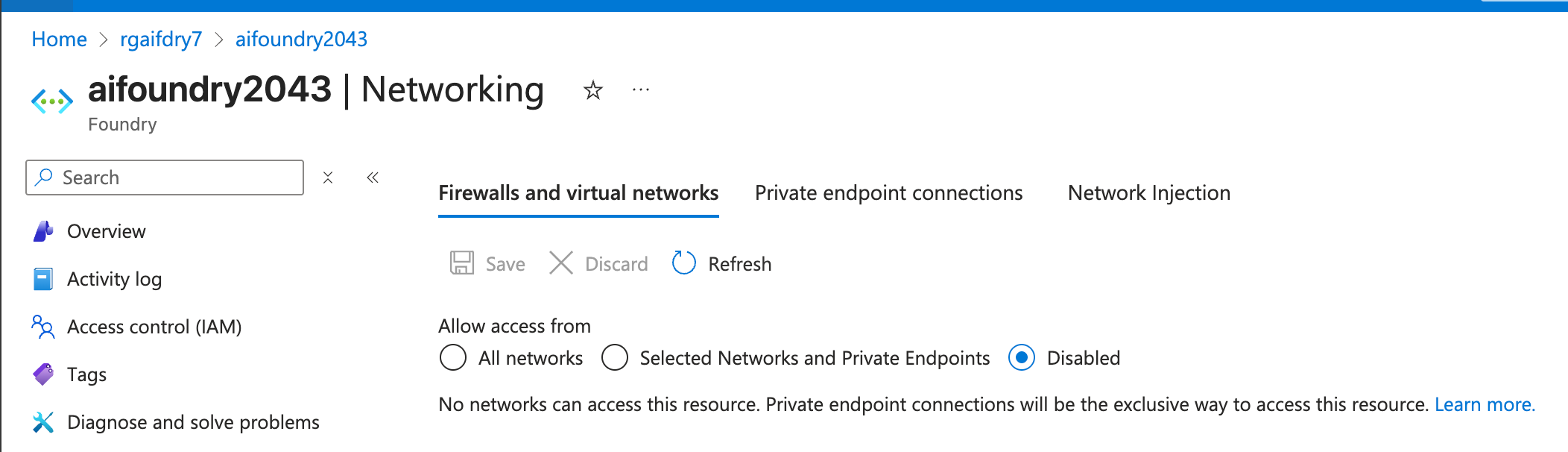
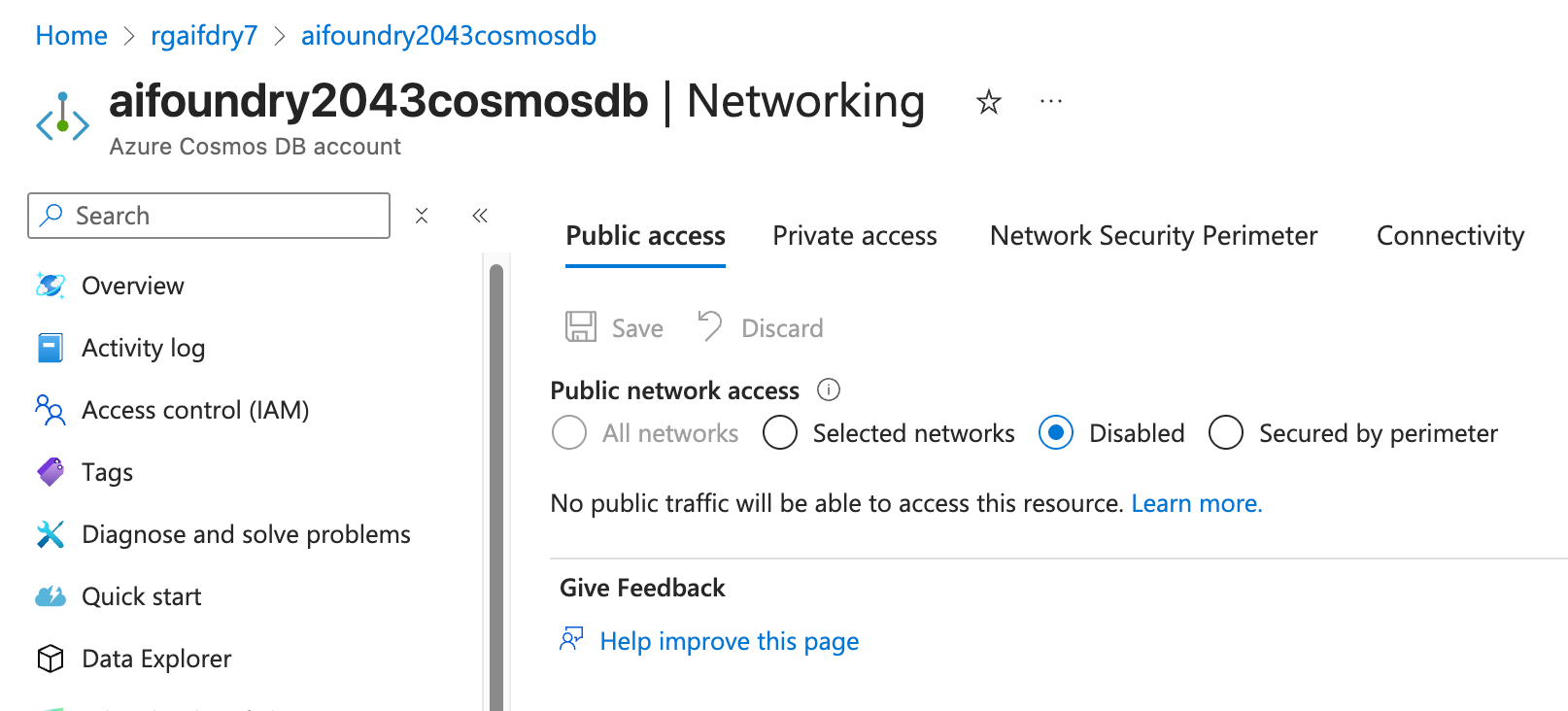
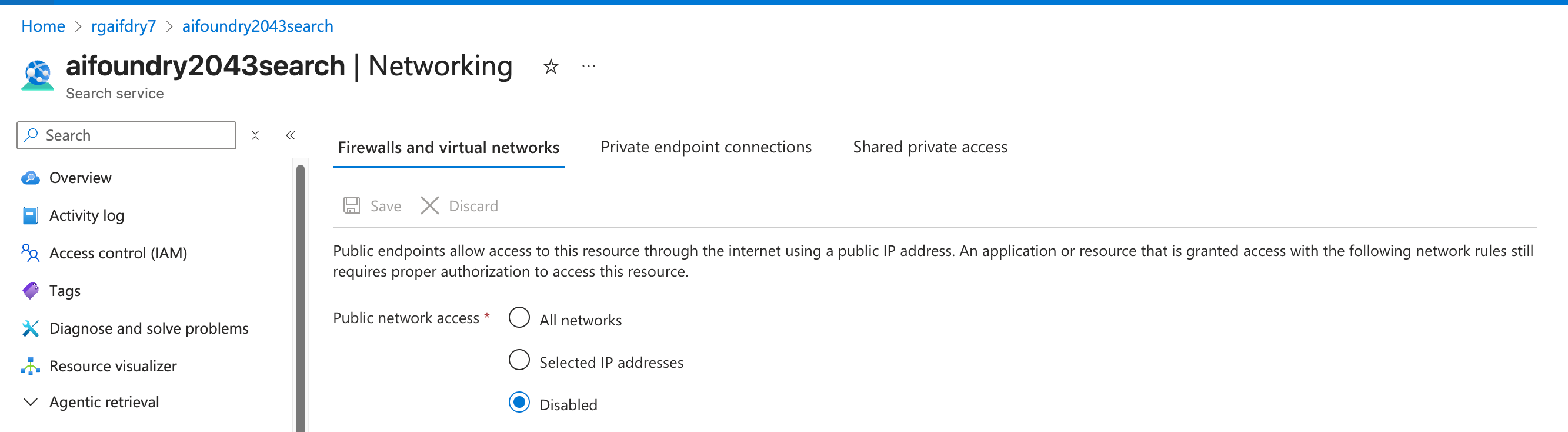
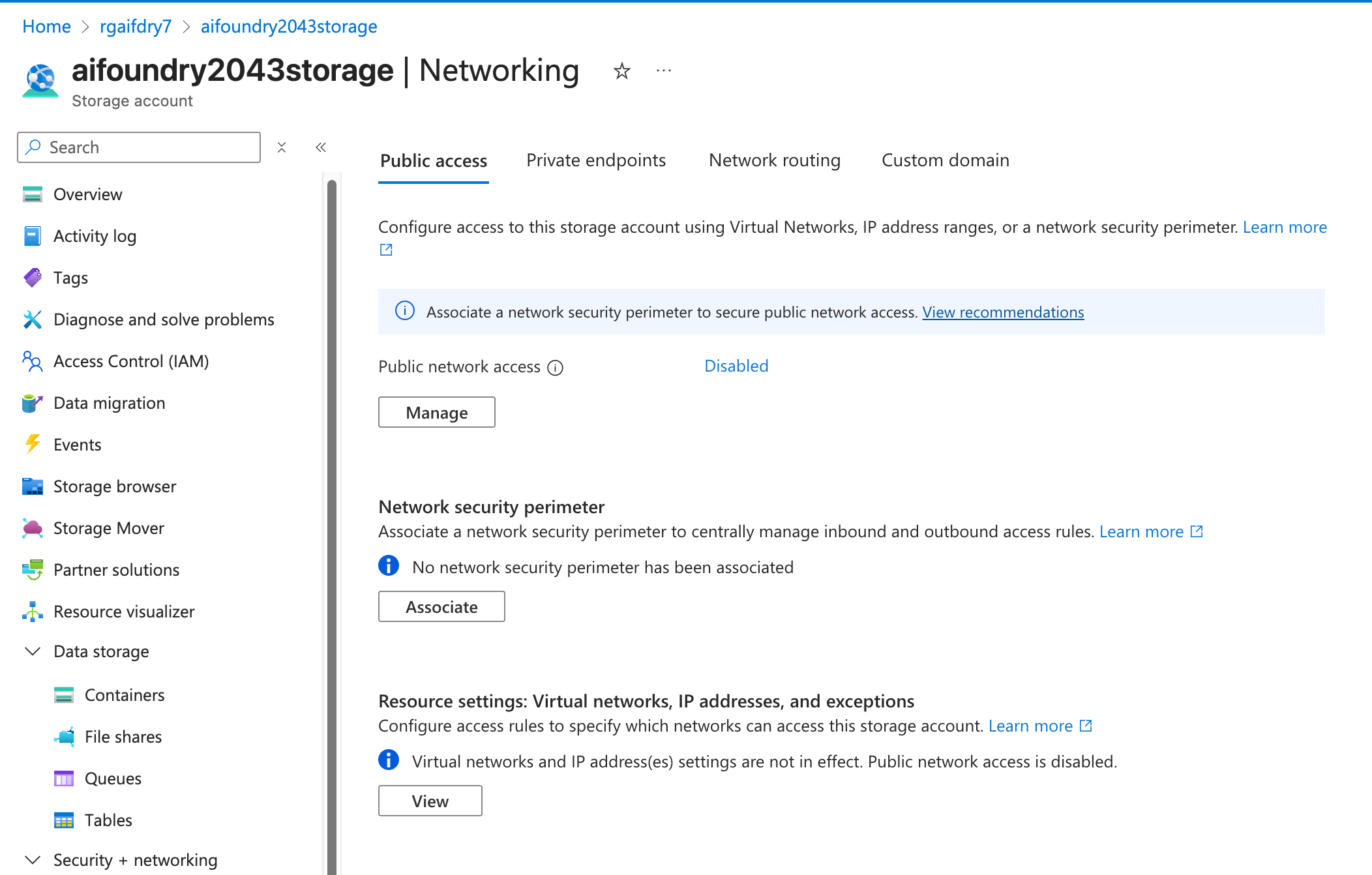
All Microsoft Foundry related resources should be configured with network security in mind and with disabled public access.

Microsoft Foundry resource network configuration below

20251206172829
Delegated subnet configuration
20251206172848
Cosmos DB Network configuration - Disabled Public Access
20251206172920
AI Search Network configuration - Disabled Public Access
20251206172943
Azure Storage Network configuration - Disabled Public Access
20251206173023

Foundry Agent Validation
#

After deployment, validate Microsoft Foundry Agent service functions correctly:

20251206163823

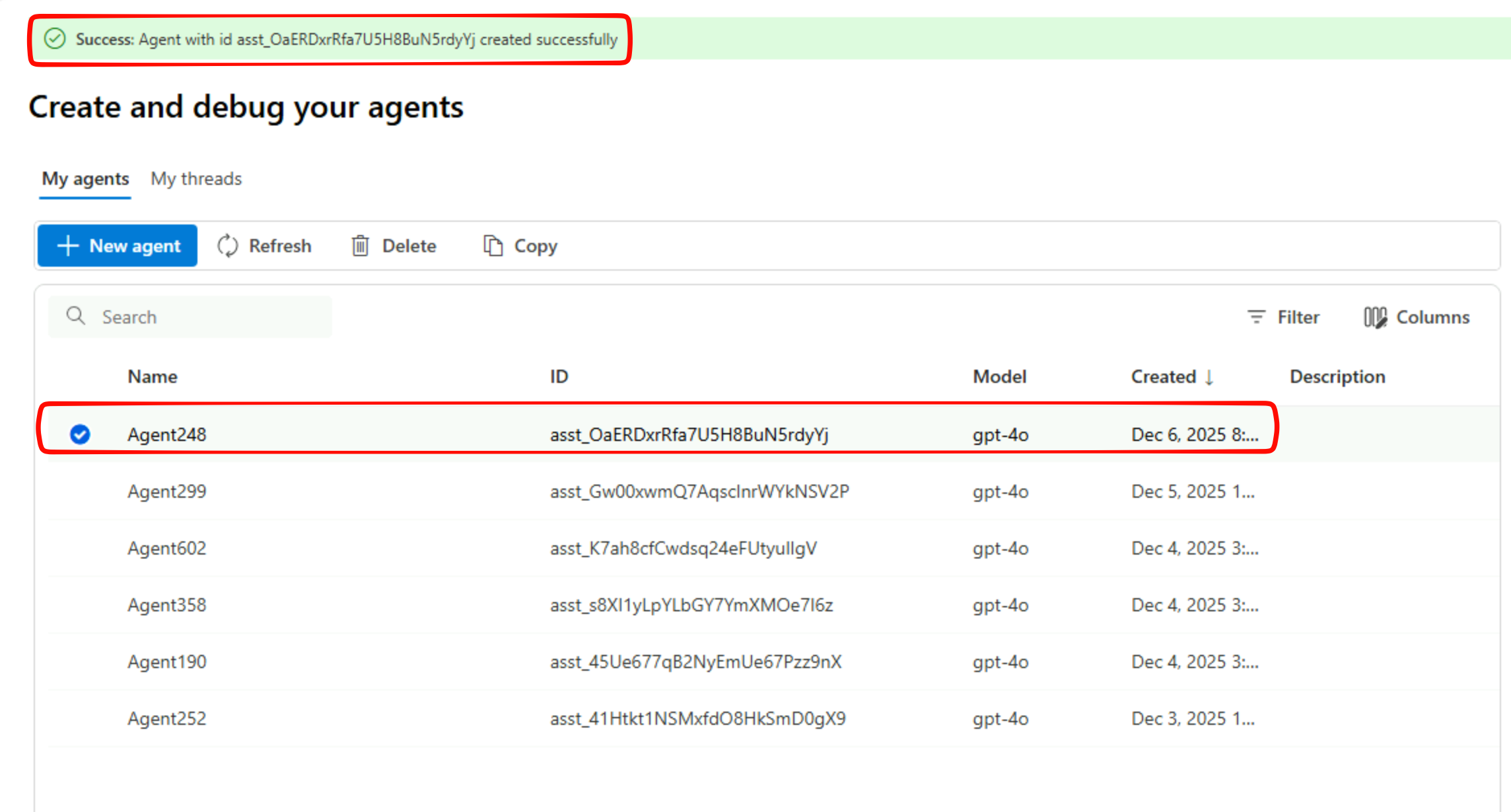
1. Create a New Agent
#

Use Microsoft Foundry Portal to create and configure a new agent. Successful agent creation indicates proper network connectivity and resource access.

20251206165637

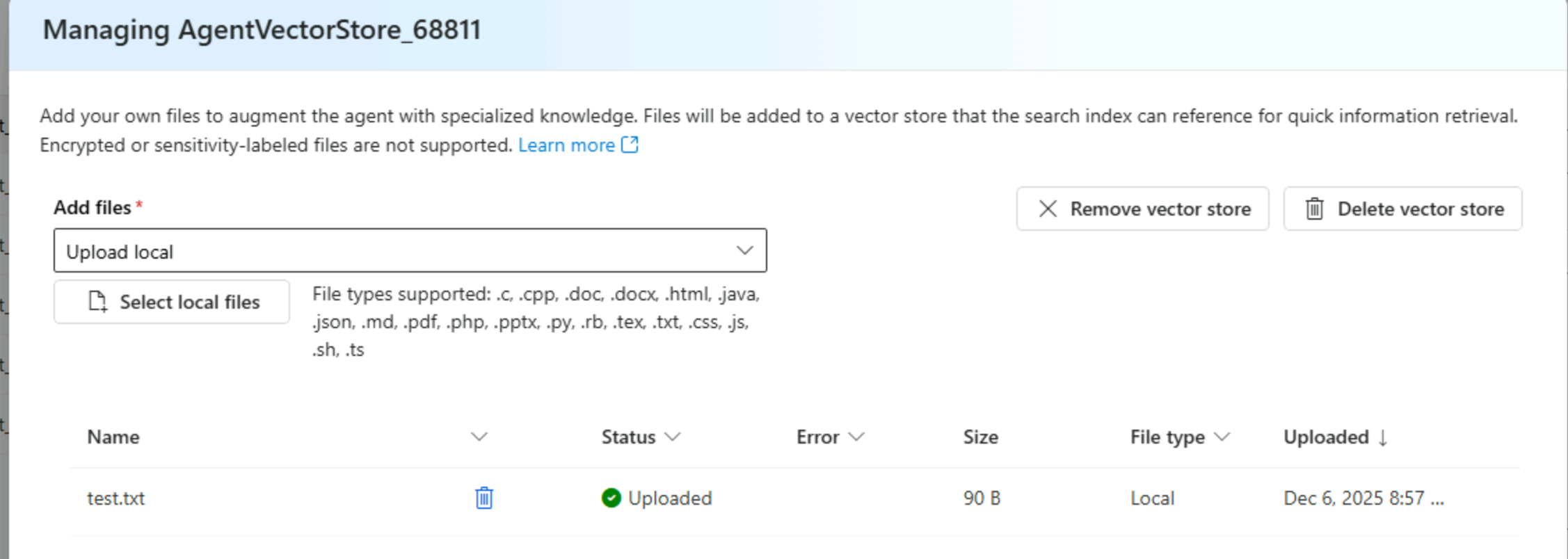
2. Upload Knowledge Files
#

Test file upload functionality, which demonstrates:

  • Azure Storage connectivity via private endpoint
  • AI Search integration for vector database population
  • Authentication through Entra ID
    20251206165735

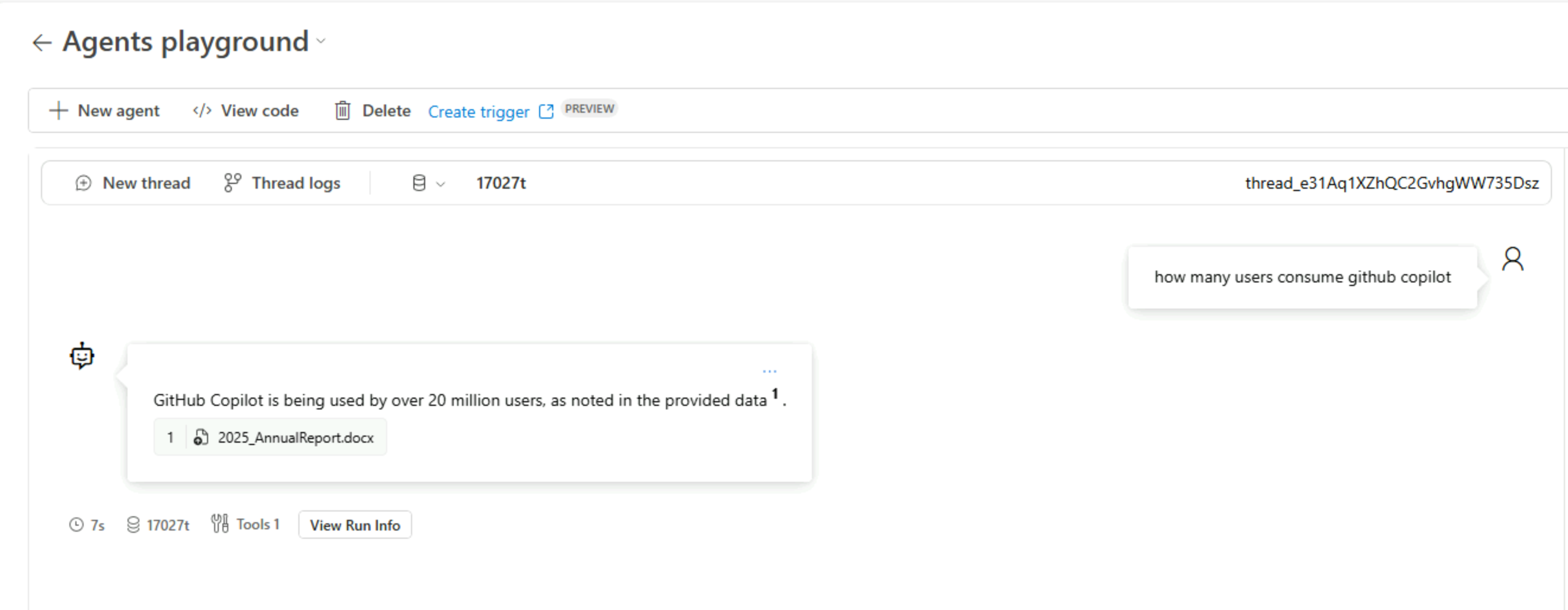
3. Test Chat Playground
#

Validate agent responses using the chat playground. This tests:

  • End to end agent functionality
  • Knowledge retrieval from vector store
  • LLM endpoint connectivity (Using GPT4o in this example)
    20251206172131
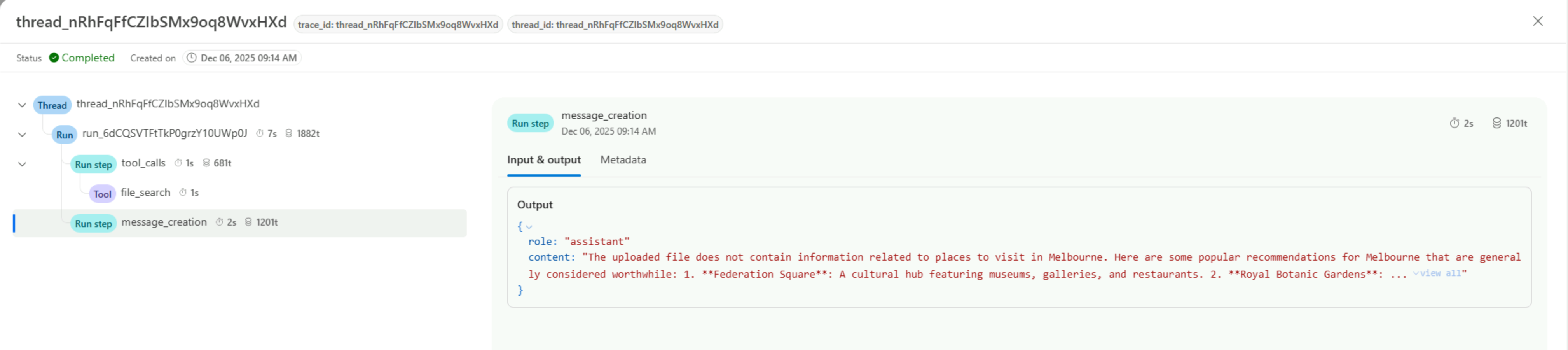
    Thread logs functionality to trace requests
    20251206171540

This is another example where we are asking a relevant questions with knowledge provided (Microsoft annual report 2025). We get expected response with reference to uploaded content.

20251206172131

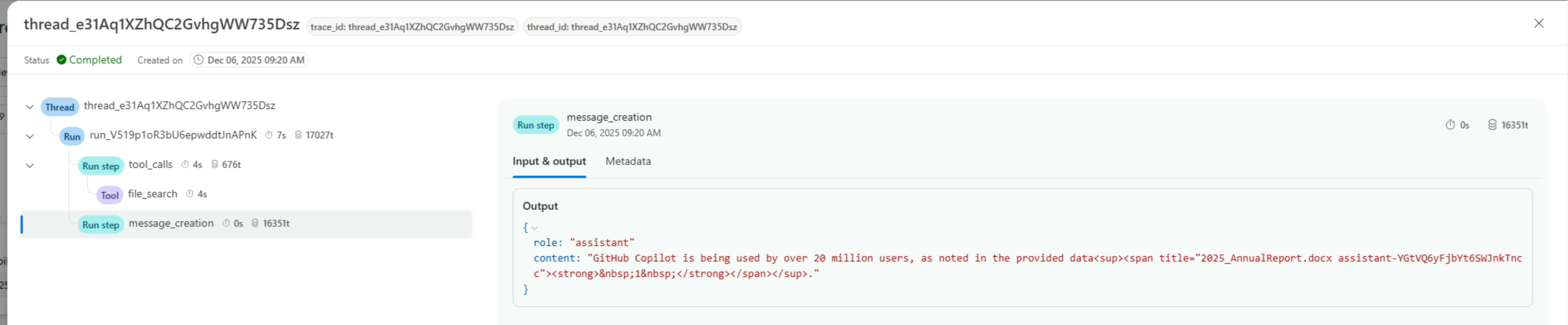
4. Review Thread Logs
#

Use the built-in thread logs functionality to:

  • Observe tool calls against the vector store
  • Validate response generation
  • Troubleshoot any issues with agent behavior
    20251206172202

Observability
#

Comprehensive observability is essential for operating Microsoft Foundry in production. Enable diagnostic logging across all components to gain visibility into traffic flows and request patterns.

Observability - > Firewall
#

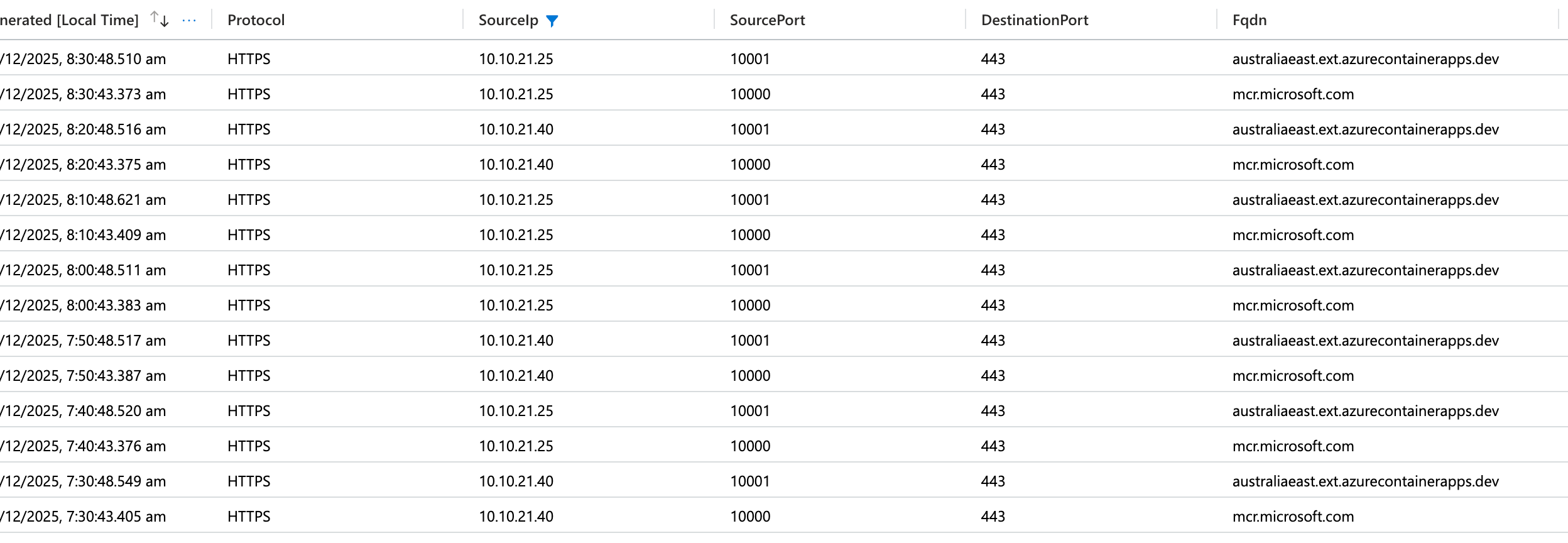
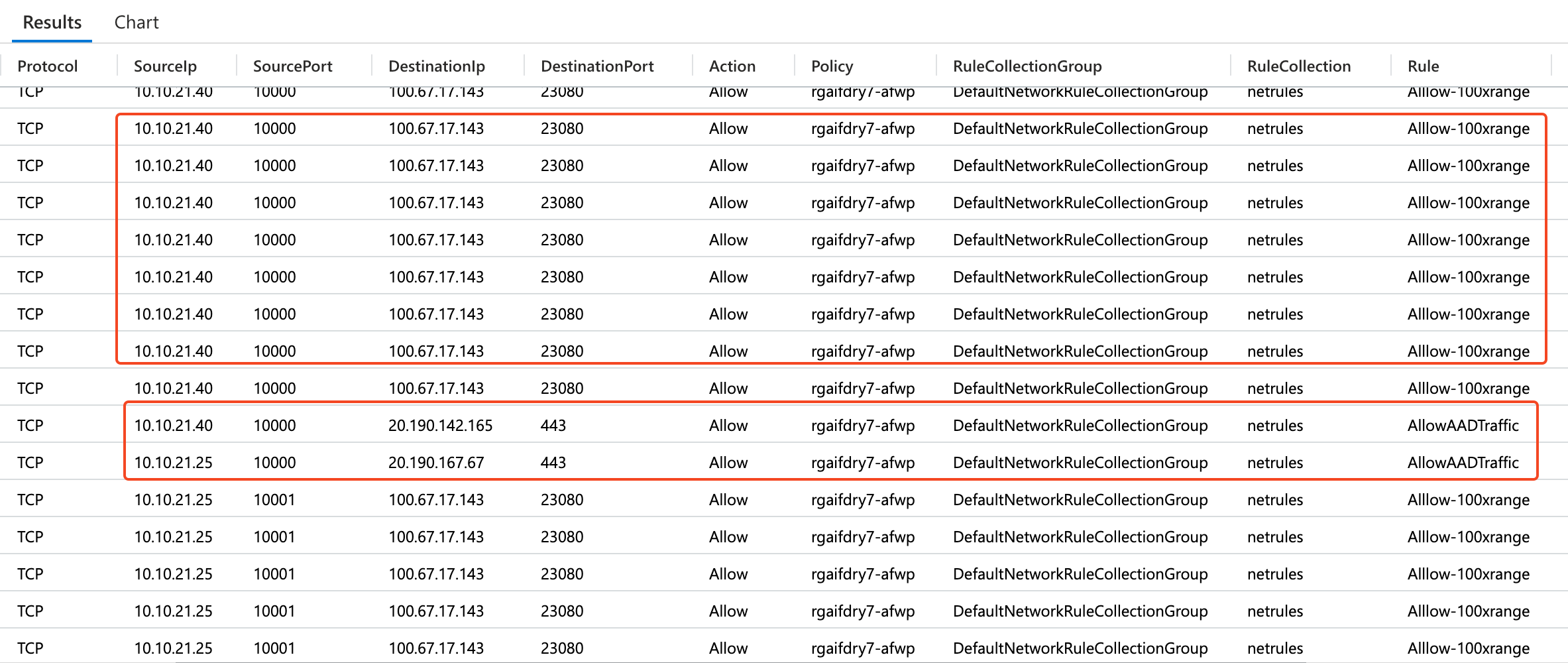
Having logs enabled on the firewall allows us to observe traffic flows from Microsoft Foundry delegated subnet. Looking at logs below, we can see communication from Foundry subnet, towards Microsoft Container Registry and towards Azure Container Apps endpoints.

Application Rule Logs below

20251206144211

Network Rule Logs below

20251206144048

Observability -> VNET Flow Logs
#

Below are logs from the VNET hosting agents. We can observe ACA Traffic reaching Microsoft managed endpoinst

20251206175211

Observability -> Microsoft Foundry Logs
#

Foundry Logs also demonstrates requests from User towards Foundry Private Endpoints and other services reaching foundry service.

20251204061350

Observability -> CosmosDB Logs
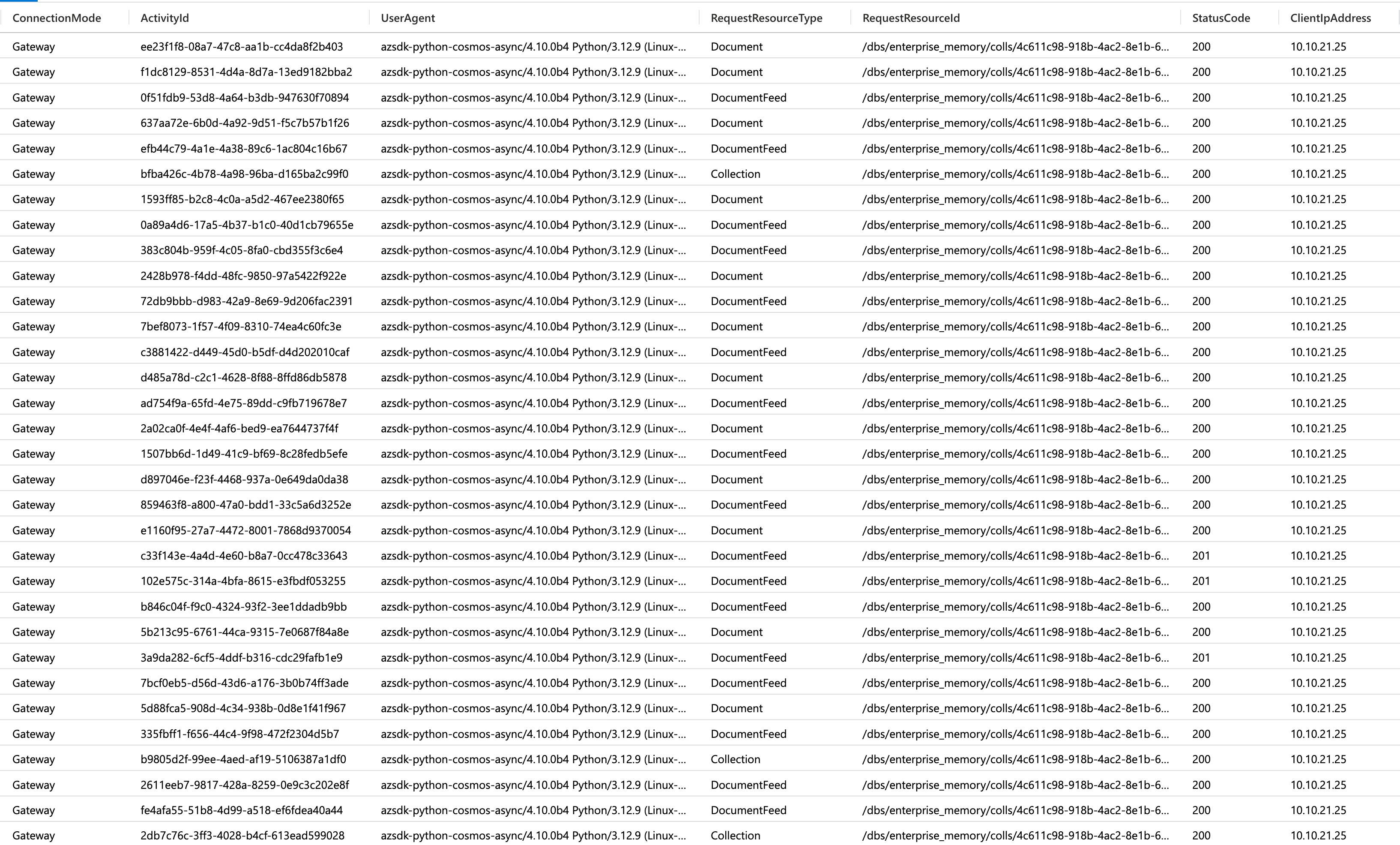
#

We are also able to see request logs from CosmosDB Logs showcasing request from Agent delegated Subnet.

20251204061529

Conclusion
#

Deploying Microsoft Foundry using the Bring Your Own VNET pattern provides enterprise grade security and network control for AI agent workloads. This blog post has demonstrated a comprehensive approach to securing Microsoft Foundry deployments through three critical layers: individual resource network configuration, subnet NSG rules, and centralised Azure Firewall policies.

Key Takeaways
#

Security in Depth: BYO VNET pattern enables defense in depth by combining multiple security controls from resource level private endpoints to network level traffic filtering. This layered approach ensures that Microsoft Foundry deployments meet enterprise security requirements while maintaining full functionality.

Private Endpoints Are Critical: All Microsoft Foundry resources should be configured with disabled public network access and accessed exclusively through private endpoints. This ensures traffic remains within your virtual network and integrates seamlessly with existing Azure landing zone.

Observability is Essential: Comprehensive logging across Azure Firewall, VNET Flow Logs, and resource specific diagnostics provides the visibility needed to troubleshoot issues, optimize performance, and maintain security compliance. The investment in proper logging pays dividends during operations.
Nirmal Thewarathanthri
Author
Nirmal Thewarathanthri